
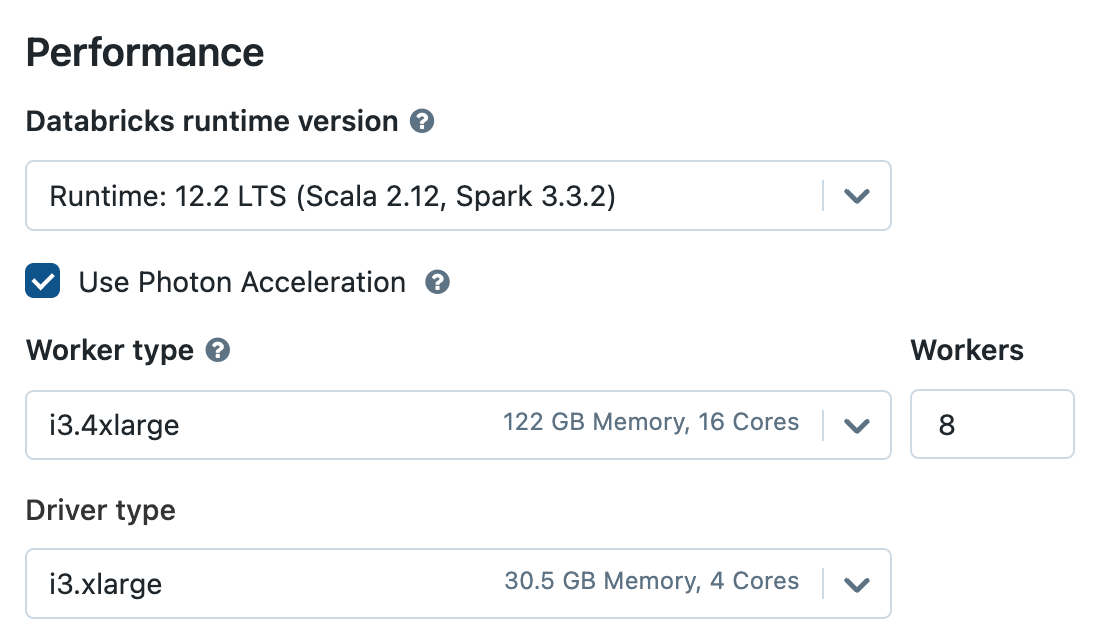
A very normal Databricks cost surprise starts with a very boring checkbox. A team enables Photon acceleration, glances at the compute summary, and notices the DBU/hour number has jumped. In many classic compute configurations, Photon is typically around a 2x increase in the Databricks hourly DBU rate for the same cluster shape.
This does not make Photon bad. It makes the question different. The workload now has to run fast enough to justify the more expensive meter. It may just have been made faster and more expensive at the same time.
The trap is assuming faster means cheaper
Photon is Databricks’ native vectorised execution engine. It is built to accelerate SQL workloads, DataFrame operations, ETL pipelines and similar execution patterns. When the workload suits Photon, the result can be excellent: faster dashboards, shorter batch windows, lower latency and a generally nicer time for everyone waiting on the output.
The problem is the free lunch assumption. Faster runtime does not automatically mean lower cost. That is only true when the runtime reduction is large enough to offset the higher DBU/hour rate. A job that runs 25% faster on a cluster that costs 2x as much per DBU hour is not a cost optimisation. It is just a more efficient way of burning budget.
“Photon is not a free speed button. It is a price-performance decision.”
A simple example where Photon loses
Take a production job that runs once per hour.
Without Photon, assume the cluster consumes 10 DBU/hour and the job runs for 60 minutes. That is nice and clean: 10 DBUs per run.
Now enable Photon. The same cluster shape shows 20 DBU/hour. The job does improve, but only to 40 minutes. This sounds like progress right up until the arithmetic turns up and ruins the mood: 20 DBU/hour multiplied by 40 minutes is 13.3 DBUs per run.
The job is faster. The DBU consumption is still up by roughly a third. Run that hourly and the difference is paid 24 times per day. Copy the same pattern across a few dozen jobs and the monthly bill does not gently drift upward. It steps upward.
The break-even point is not complicated. If Photon doubles the DBU/hour rate, the workload needs to finish in less than half the time just to reduce the Databricks DBU component. Anything weaker than that needs another justification: service level, user experience, batch window, operational risk or revenue impact.
Where Photon is worth looking at properly
Photon is most likely to earn its keep on heavy SQL and DataFrame workloads: large scans, joins, aggregations, MERGE operations, BI queries, repeated dashboard workloads and pipelines where latency has a real knock-on effect for users or downstream systems.
It deserves more suspicion on small scheduled jobs, exploratory all-purpose clusters, lightly used development compute, workloads dominated by Python UDFs, legacy notebooks, or anything where only a slice of the execution actually benefits from Photon. A Photon-enabled cluster is not proof that the expensive part of the workload is being accelerated.
The real failure is governance
Photon becomes expensive when it spreads through habit. One cluster is copied. A development setting makes its way into production. A workspace policy allows everything. A job owner leaves. Finance sees DBU growth, but nobody can cleanly explain which workloads got faster, which got more expensive, and which were never tested in the first place.
This is how Databricks cost leakage hides in plain sight. Not as one dramatic mistake, but as a chain of reasonable-looking configuration decisions: worker count, autoscaling range, runtime version, schedule cadence, warehouse size, Photon, tags and ownership. Each one looks technical in isolation. Together, they become a financial control problem.
What should happen before Photon becomes the default
Run a controlled comparison before rolling Photon out broadly. Same input data, same worker family, same worker count, same runtime assumptions and the same production-like schedule. Measure elapsed time, DBUs consumed, cloud infrastructure cost, output correctness and whether the workload actually benefited from Photon execution.
Then classify the result. Keep Photon where it improves price-performance. Keep it where the latency reduction is commercially worth paying for. Restrict it where the evidence is absent. The bad answer is letting every team make the decision independently and hoping the bill explains itself later. It will not.
The practical answer
If Databricks Photon increased DBU/hour, nothing is necessarily broken. That is commonly what happens when a higher-performance execution engine is enabled. The mistake is treating the higher hourly figure as harmless because the workload should, in theory, run faster.
Photon can be a strong optimisation lever. It can also be the reason a workload gets 20% faster and 30% more expensive. In a small environment, that is annoying. In a maturing Databricks estate, it is exactly the sort of quiet configuration drift that compounds into a serious cost problem.
Photon should be measured, governed and reviewed like any other cost-impacting compute decision. Otherwise, the checkbox that was meant to speed up the platform can become the checkbox that doubles the wrong part of the bill.